How to Download RSLogix 500 (Micro Starter Lite)
What are RSLogix 500 and Micro Starter Lite?
If you are entering the world of Allen-Bradley PLC programming, RSLogix 500 is the foundational software you need to know. It is the dedicated programming environment for the legacy, yet still incredibly popular, SLC 500 and MicroLogix families of controllers.
A Note on Paid Versions: The full versions of RSLogix 500 (Standard and Professional) are used to program the larger SLC 500 controllers. Because these are enterprise-level industrial licenses, they cost thousands of dollars and must be purchased offline through a local authorized Rockwell distributor.
Fortunately, for the purposes of learning PLC programming and following along with our guides, Rockwell Automation offers a completely free version called RSLogix Micro Starter Lite. This free version contains the exact same interface and instruction set as the professional version, but it is restricted to programming only the MicroLogix 1000 and MicroLogix 1100 controllers. It is the absolute best tool for beginners to learn Ladder Logic at zero cost.
Follow this step-by-step guide to navigate the Rockwell Automation portal and get your free software successfully.
⠀
Step 1: Access the Rockwell Automation Portal
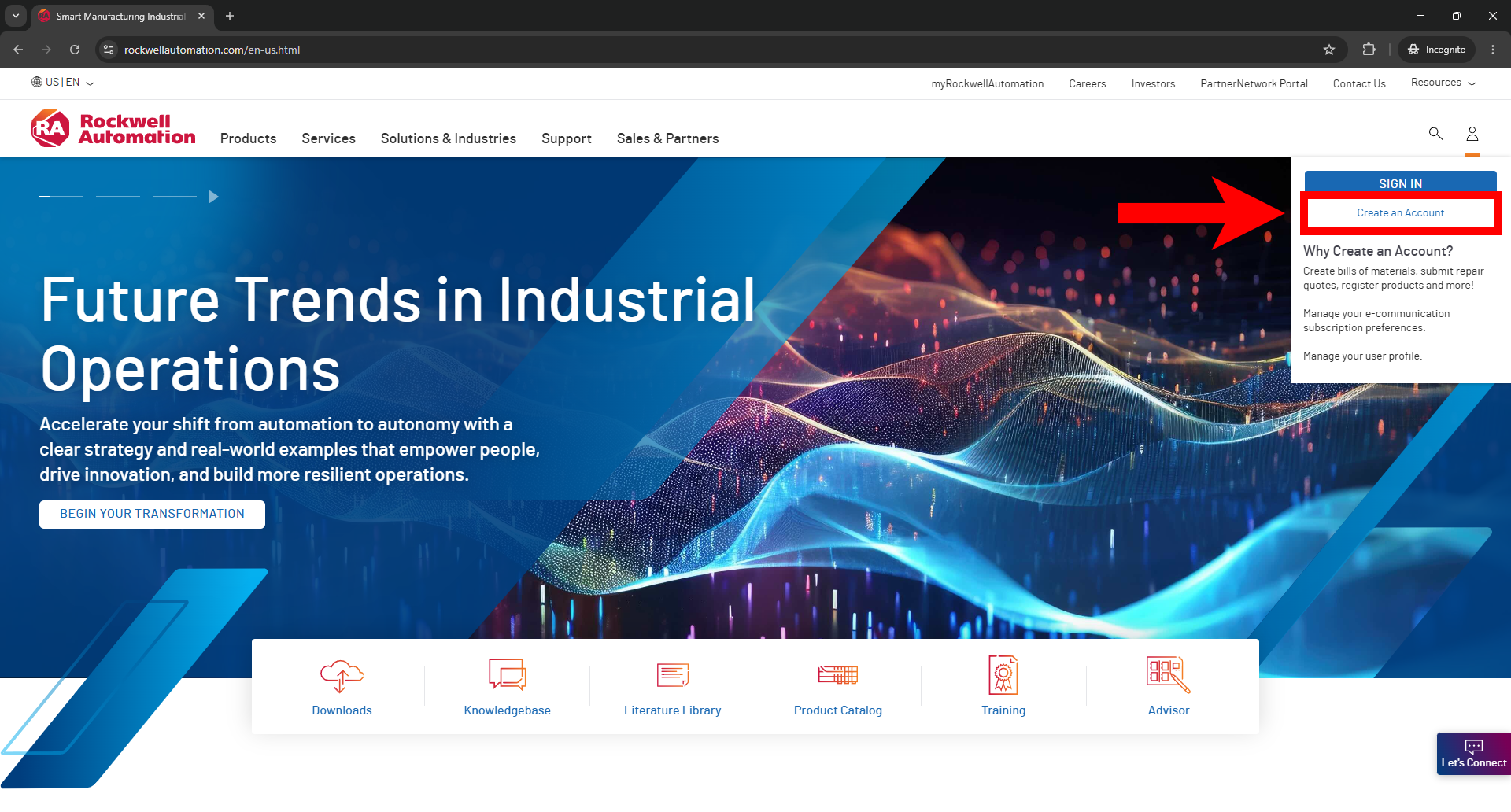
Navigate to the official Rockwell Automation website at rockwellautomation.com. In the top right corner, click on the Profile icon and select Create an Account. You must create a free account in order to access any software downloads.
⠀
Step 2: Complete Your Profile (Important)
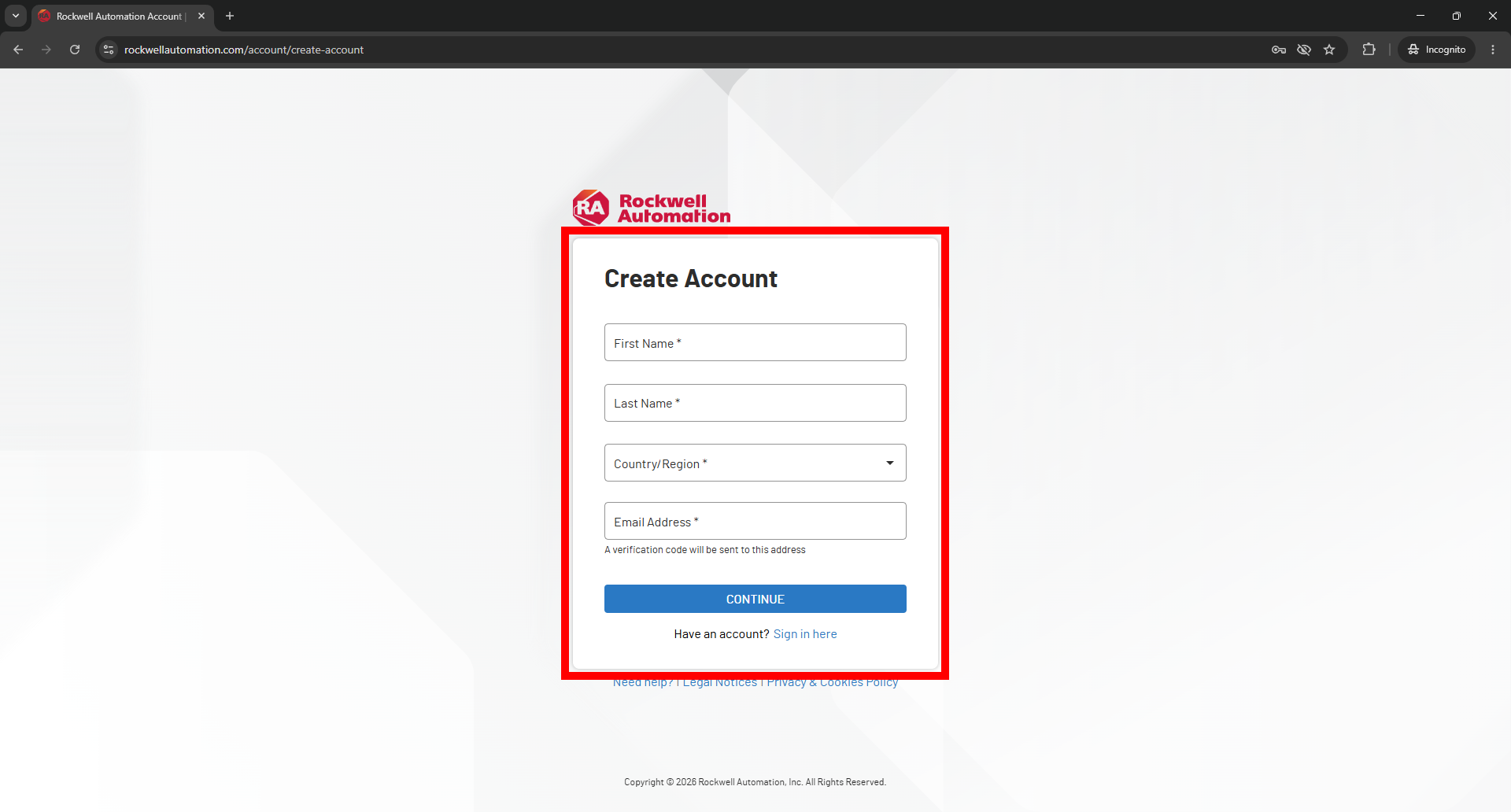
Fill in your personal details (Name, Country, Email) and click Continue to finalize your account setup.
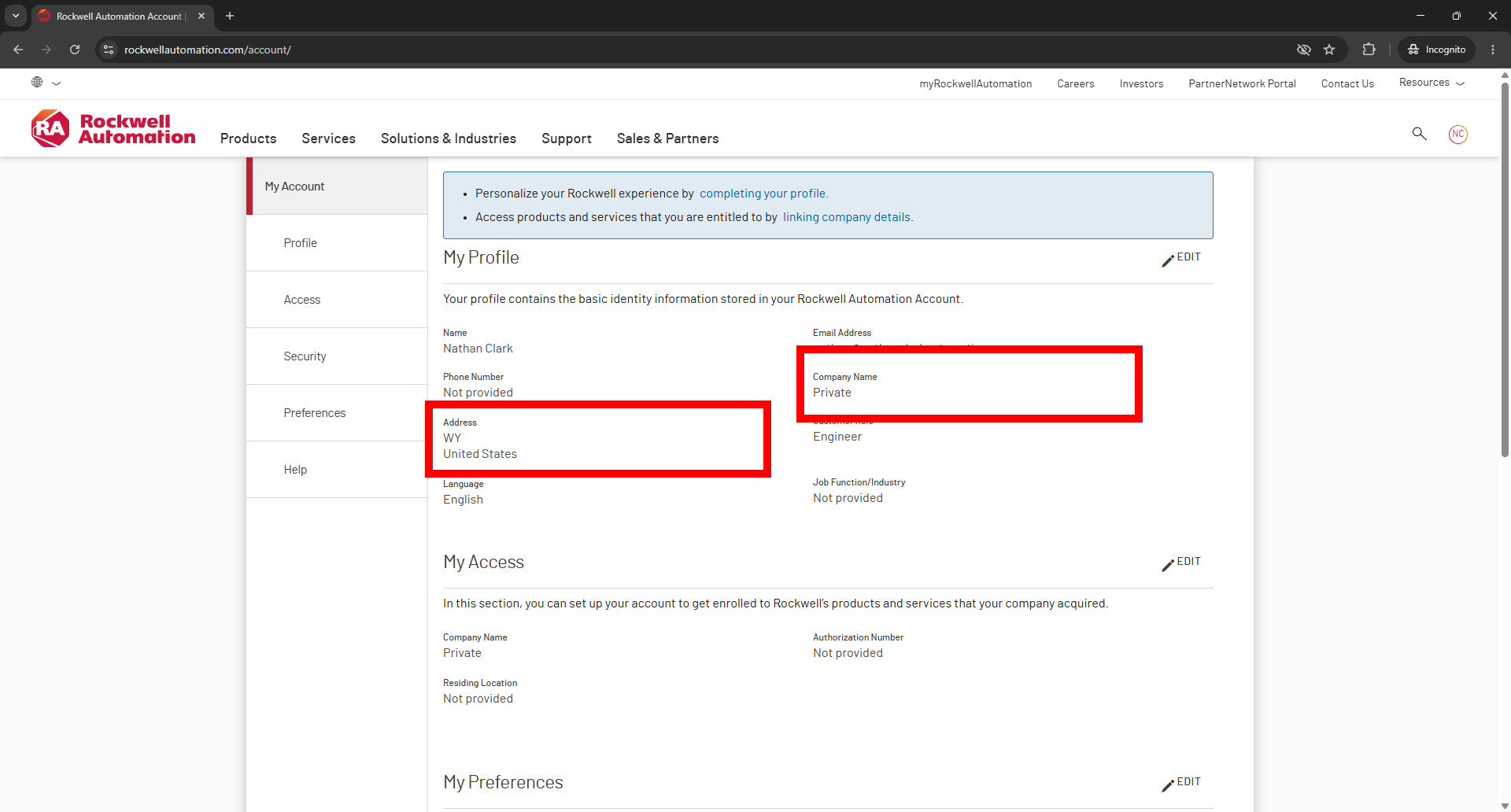
Once logged in, you should be redirected to your account profile page. If not, click your profile icon in the top-right corner and select My Account.
Important: You must complete the Address and Company Name fields on your profile. Rockwell Automation requires this information for export compliance before they will allow you to download industrial software.
⠀
Step 3: Navigate to the Download Center
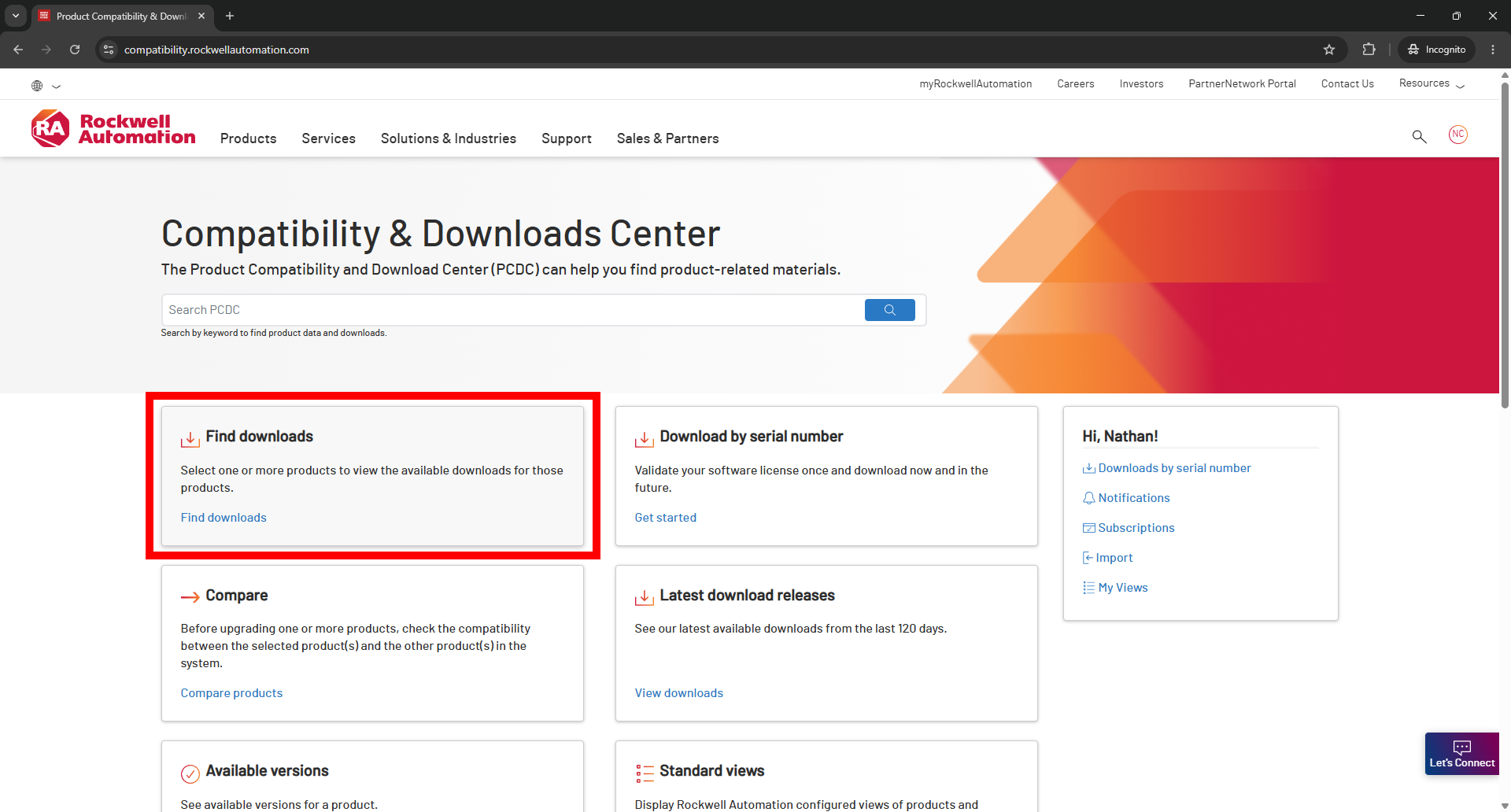
To access the software, you need to visit the Product Compatibility and Download Center (PCDC). You can navigate there via this direct link: compatibility.rockwellautomation.com. Once on the page, click the Find Downloads portal.
⠀
Step 4: Search for the Hardware
Rockwell’s download center is hardware-centric, meaning you don't search for the software directly, you search for the hardware it programs.
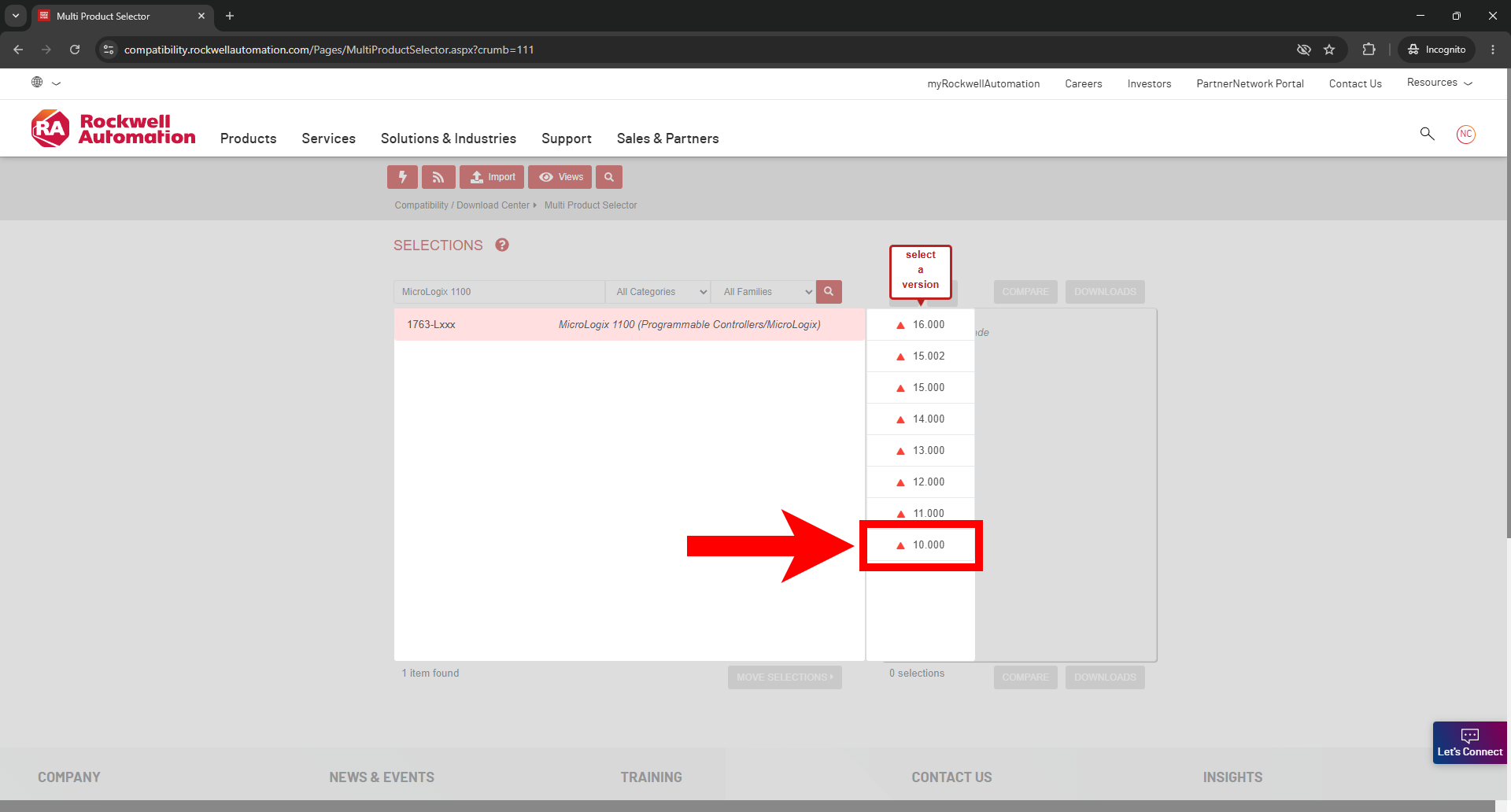
Since we want RSLogix Micro Starter Lite, type “MicroLogix 1100” into the search bar. Select the MicroLogix 1100 controller from the drop-down, and choose firmware version 10.000.
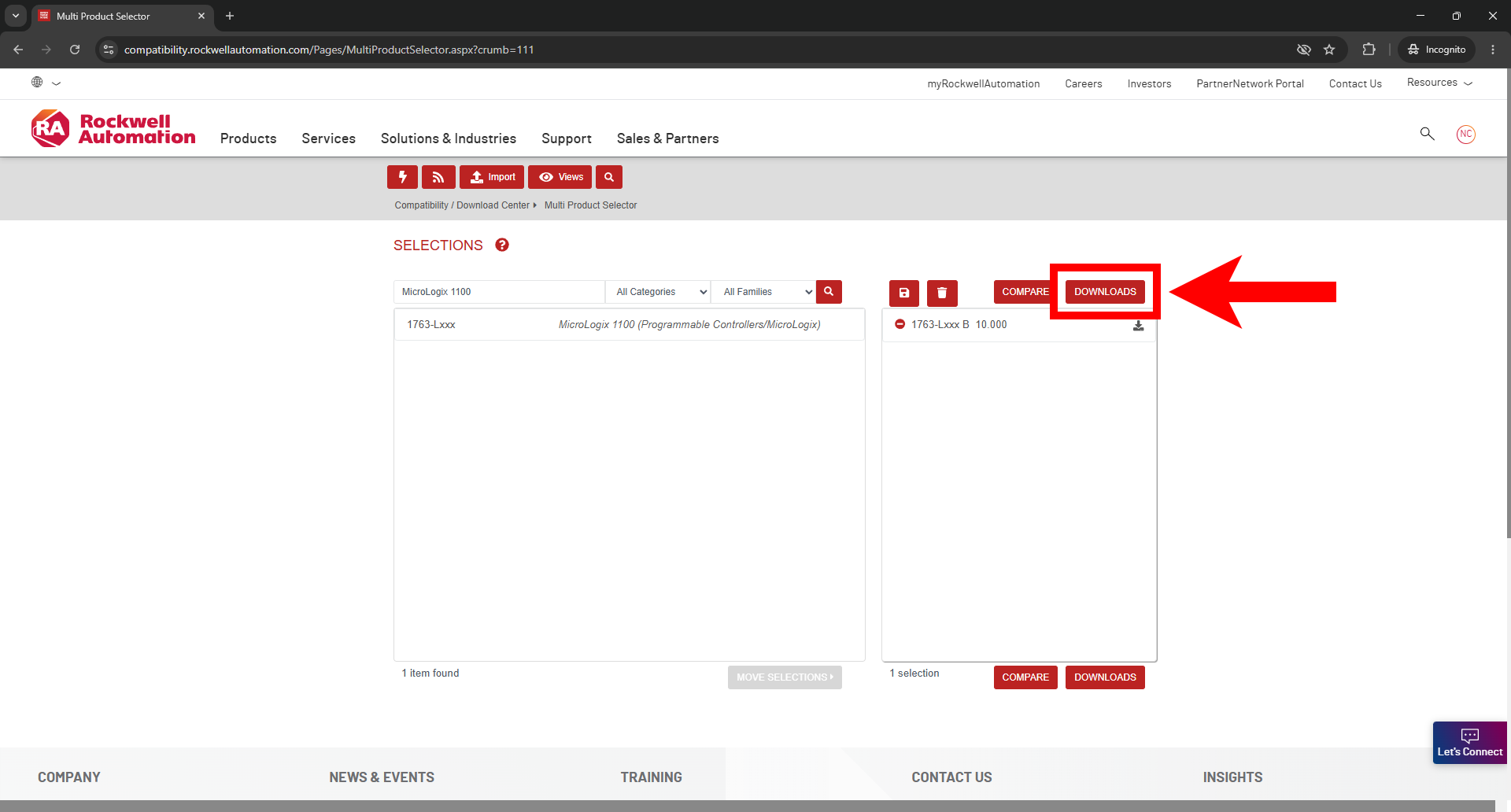
Once the controller is selected and added to your queue, click the Downloads button.
⠀
Step 5: Access the Available Downloads
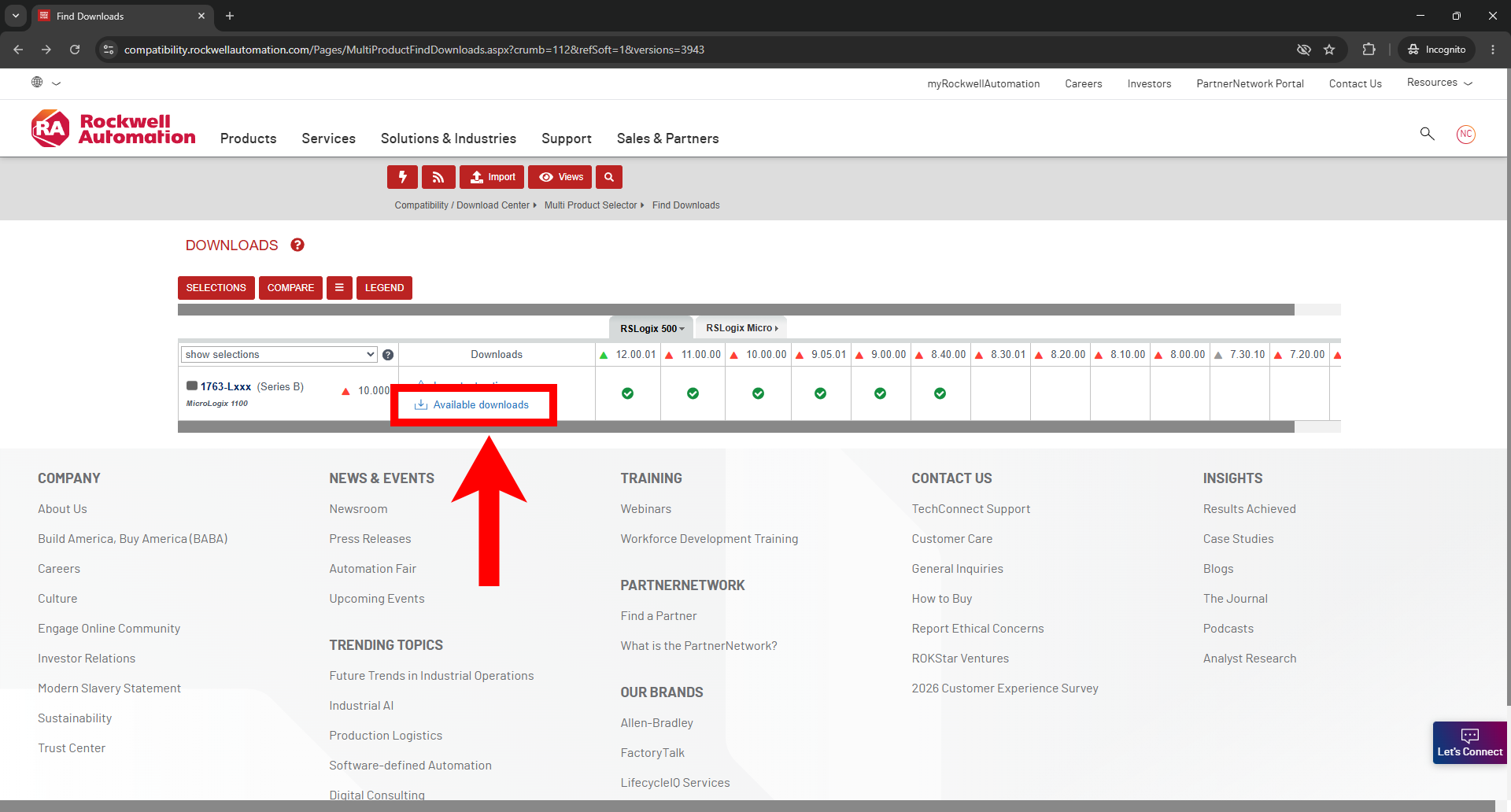
The Downloads window will show the available files for the chosen controller. Click on the Available Downloads icon.
⠀
Step 6: Unlock the Retired Software
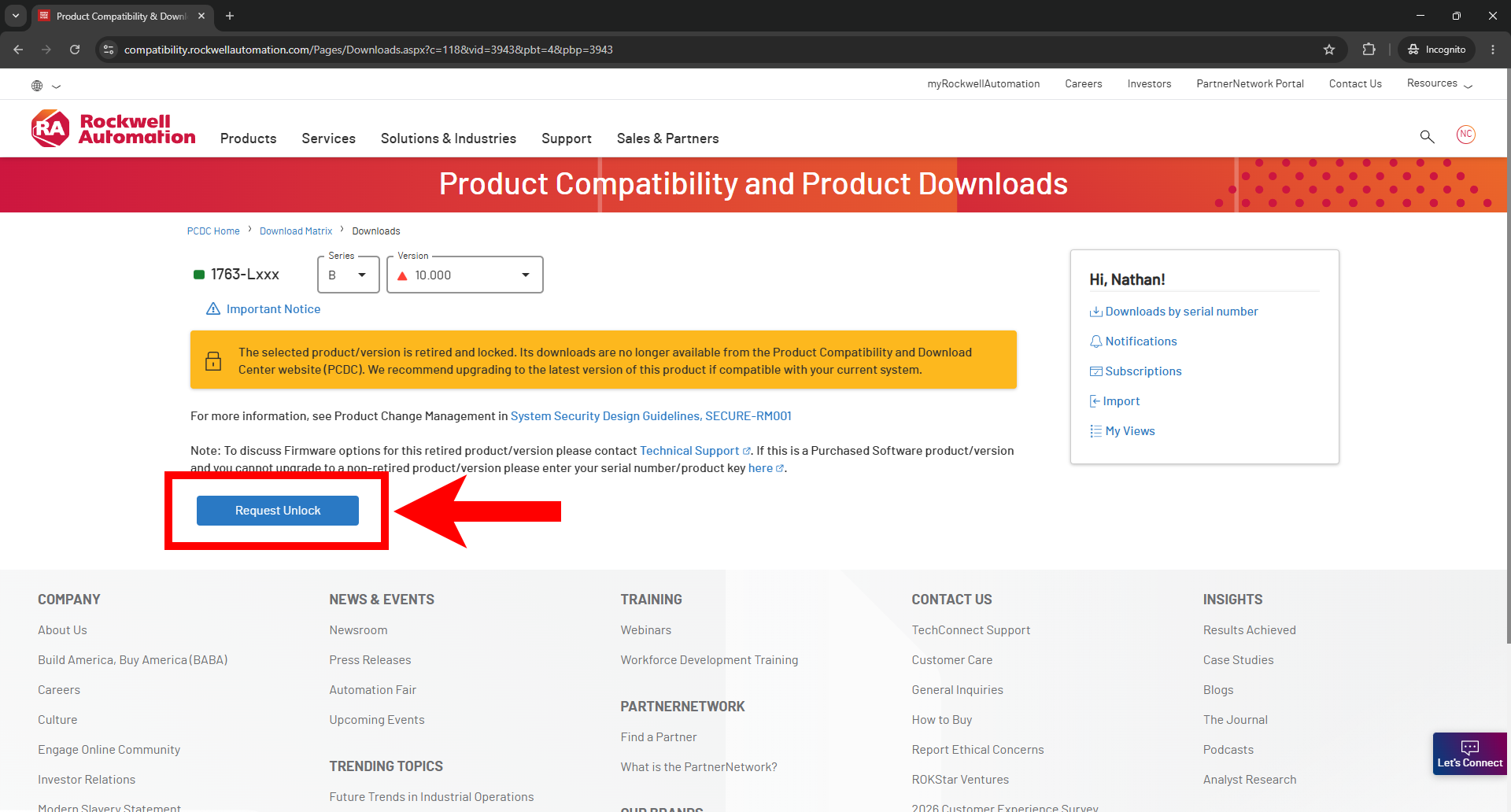
Because the MicroLogix 1100 is a legacy product, a window will pop up stating that the product is retired and locked. Simply click the Request Unlock button.
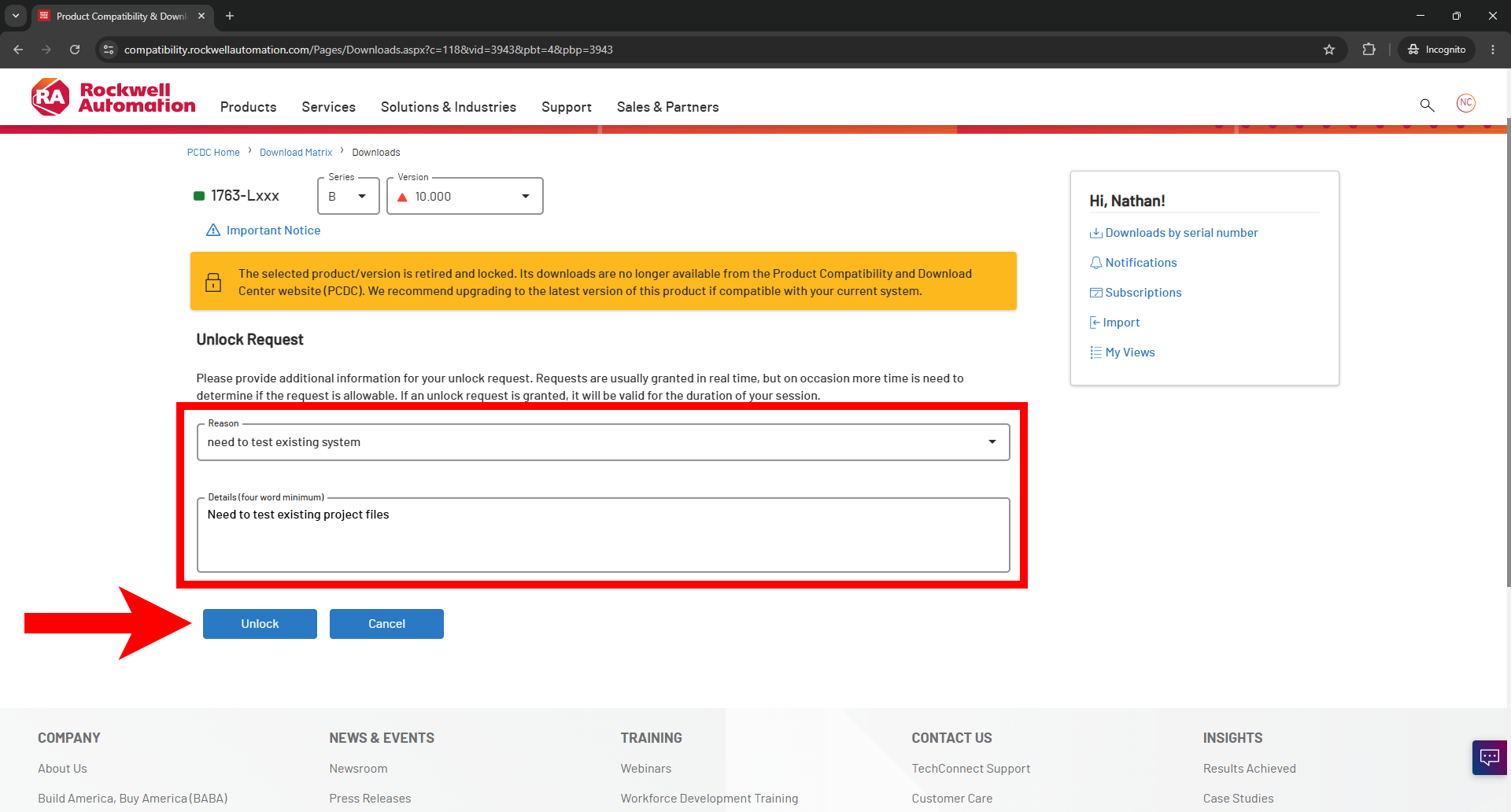
You will be asked to provide a reason for wanting to use the software. Select a reason from the drop-down and provide a brief detail (for example "Need to test existing project files" in our case). Access is usually granted immediately upon clicking Unlock.
⠀
Step 7: Select Your Software Packages
You will finally be presented with the software download page. RSLogix Micro Starter Lite is no longer actively developed, so the highest available revision is v8.30.00.
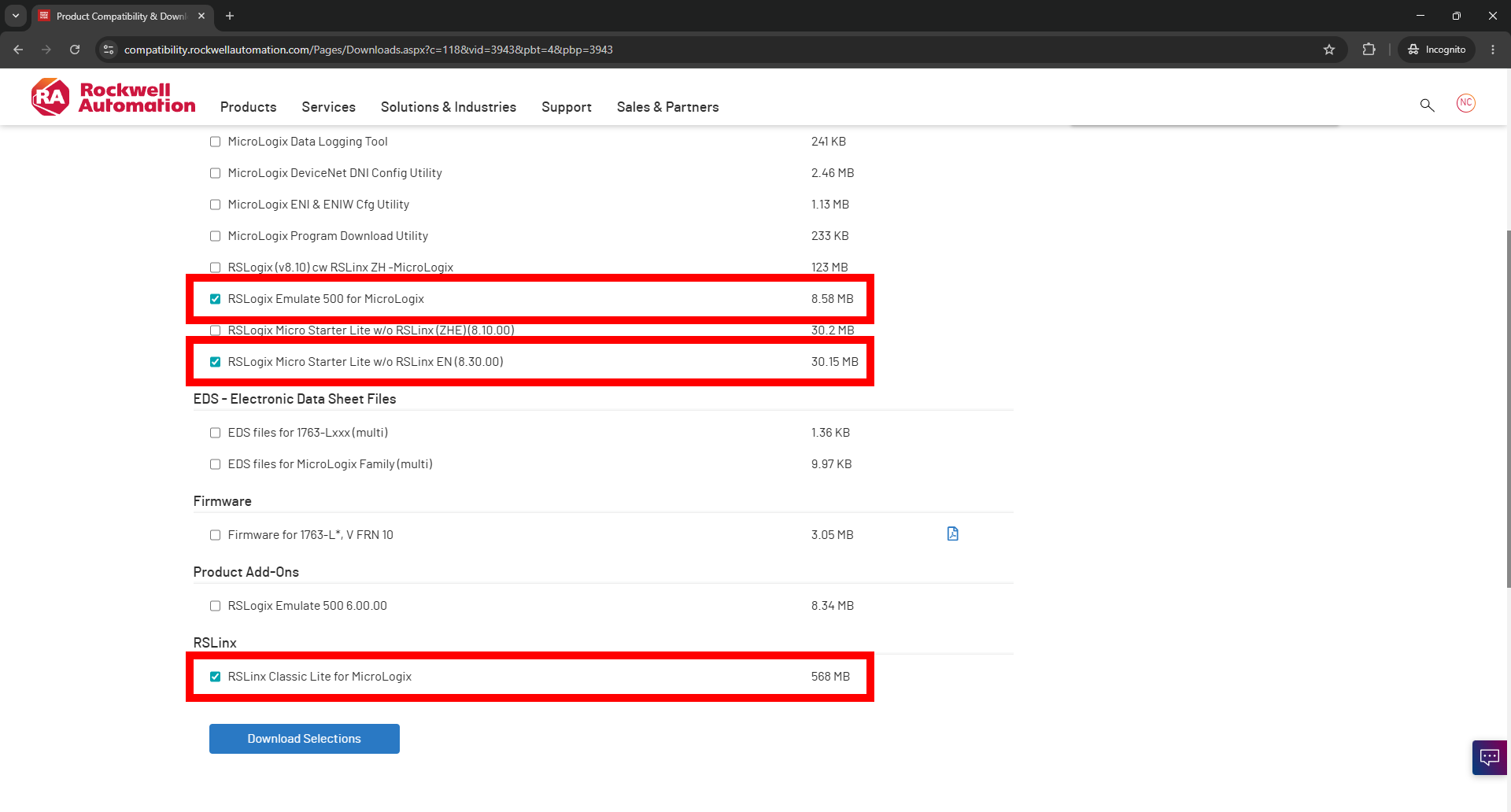
To follow along with our guide, you need to check three specific boxes on this page:
RSLogix Micro Starter Lite w/o RSLinx EN: This is the main programming software.
RSLogix Emulate 500 for MicroLogix: This is the emulator that allows you to test your code without needing to buy a PLC.
RSLinx Classic Lite for MicroLogix: This is the communication server that allows your programming software to talk to the emulator or a physical PLC.
Once selected, click Download Selections and accept the Terms and Conditions.
⠀
Step 8: Download the Files
Your download should start automatically via Rockwell's built-in download manager.
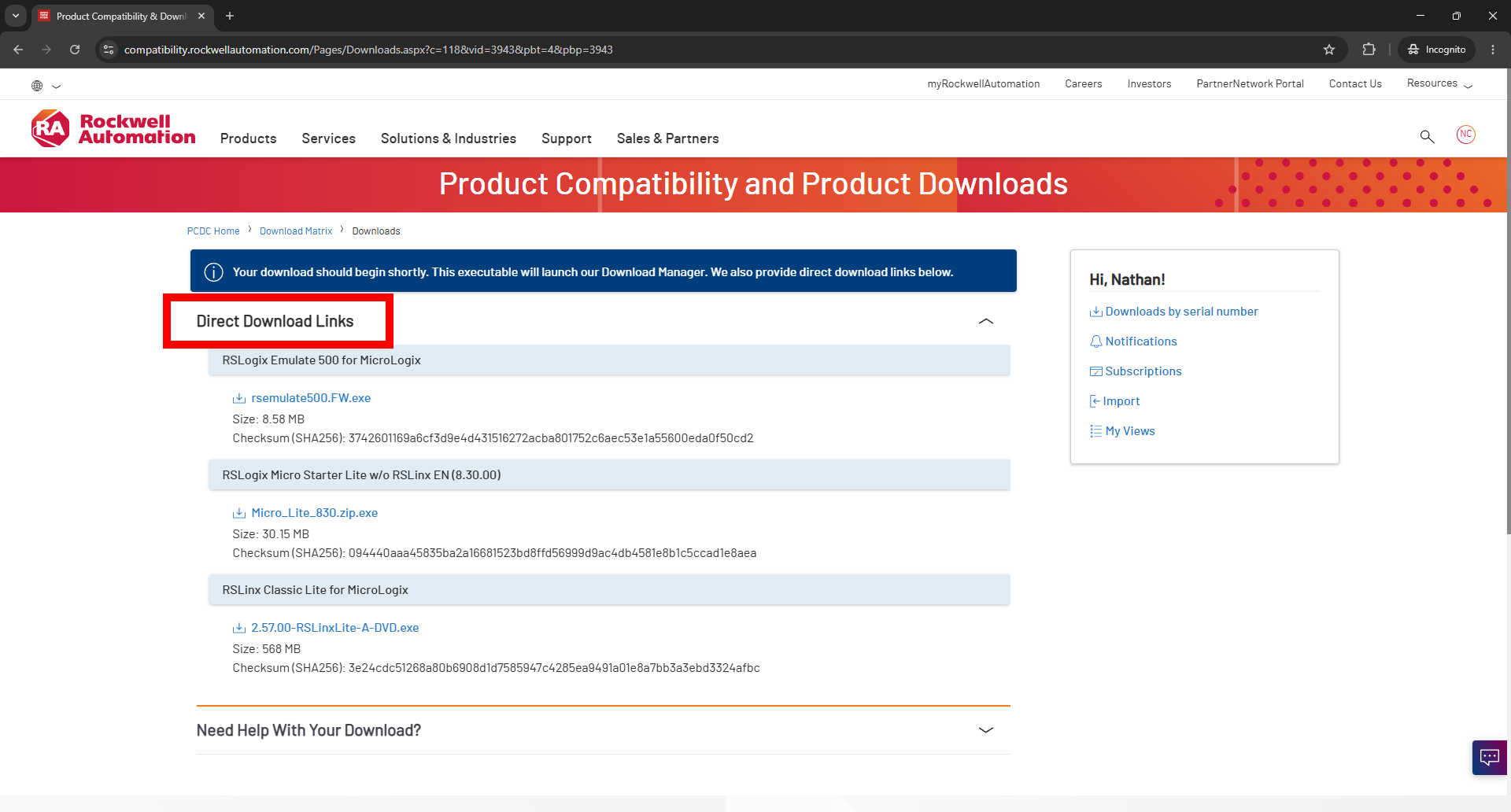
Troubleshooting Tip: Do not rename the download files! Because Rockwell uses a proprietary download manager, renaming the files while they are downloading can cause a fatal error. If the download manager fails to launch for any reason, simply expand the Direct Download Links dropdown on the webpage and click the .exe links to download the files directly through your browser.
⠀
Ready to Start Programming?
Now that you have your software installed, it is time to build your first Ladder Logic circuit!
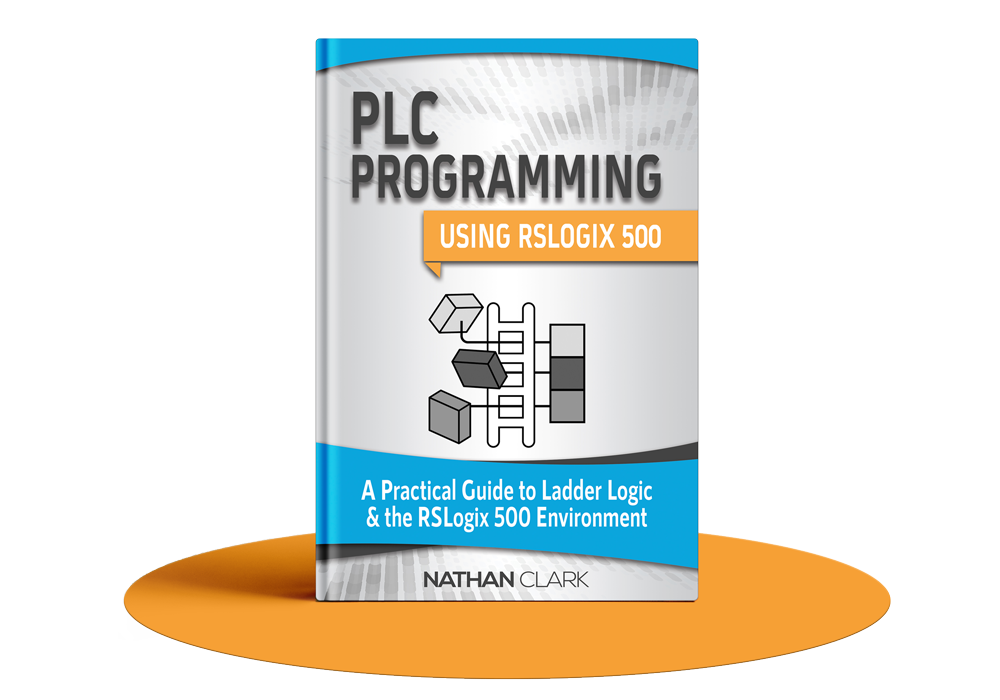
If you want to master Allen-Bradley PLCs without the frustration of figuring it out alone, check out our comprehensive guide: PLC Programming Using RSLogix 500. We walk you step-by-step through the software, teach you the foundations of memory addressing and timers, and help you build real-world projects like a tank-filling system and a bottling line.